Choose which optional emails Northstar sends to you. These preferences apply only to your account; they do not change notifications for the organization.
Change Your Preferences
Any active user can change their own notification preferences. Both optional categories are on by default.
- Open the profile menu and select My profile.
- Open Notifications.
- Turn Team membership changes and Product updates on or off as needed.
- Select Save changes.
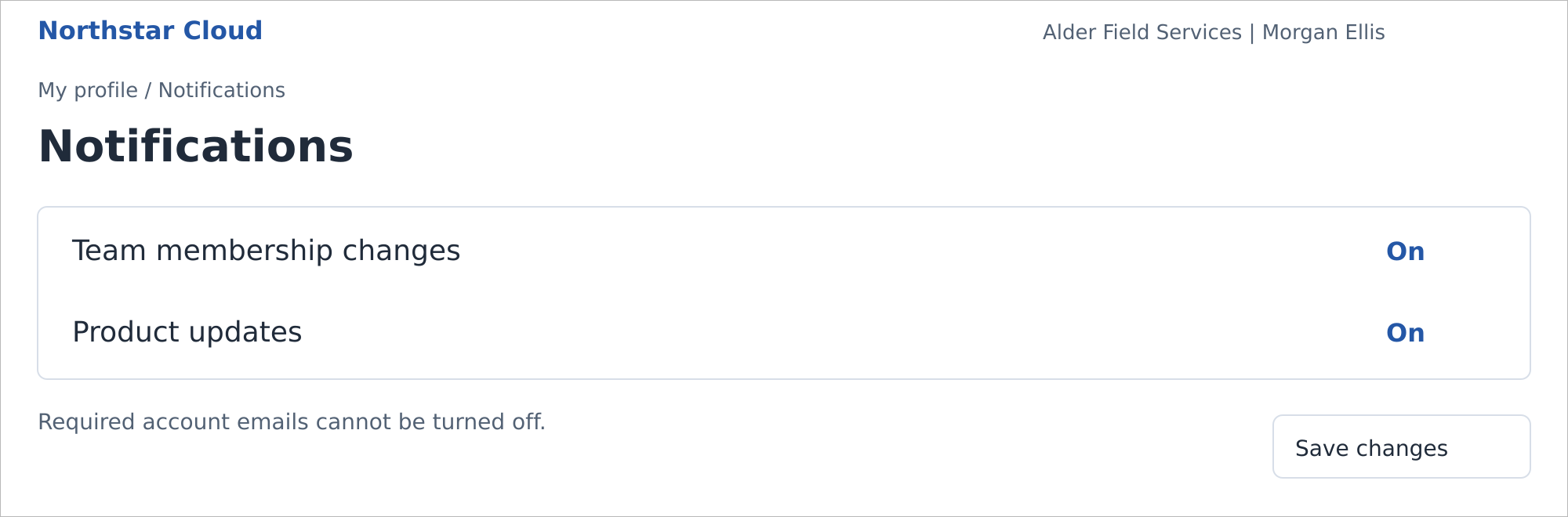
Personal notification preferences with both optional categories on. Northstar Cloud 1.0 — fictional product mockup.
Team membership changes sends an email when you are added to or removed from a team, including removal when a team is deleted. Product updates controls optional product emails.
Required Account Emails
You cannot turn off invitations, password resets, account status and role notices, or local multi-factor authentication (MFA) notices. Provider MFA changes are managed outside Northstar.
Deactivated users receive no optional emails. Northstar does not send missed events after the account is reactivated.
Related guides: Create and Manage Teams; Manage Users.