
1. Release Notes That Explain Product Changes
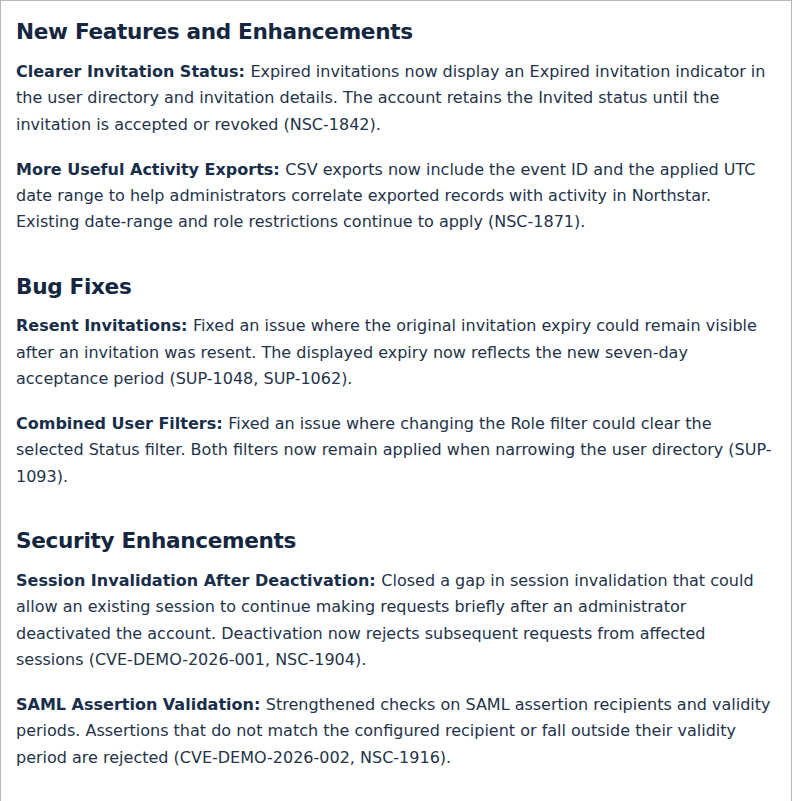
Request: Replace baseline-focused release notes with a later release covering features, enhancements, bug fixes, and security changes. Include customer Jira references for reported issues and internal Jira references for engineering work. Use a colon after each bold change name, place ticket and vulnerability identifiers at the end of the relevant description, and remove the separate reference labels and Reference Information section.
Rationale: Readers need to know what changed, whether it affects them, and which reported issues were addressed. Customer and internal references serve different audiences; both groups use release notes.
Result: Version 1.1.0 separates enhancements, fixes, and security changes. Each change starts with a bold name and colon. NSC, SUP, and CVE-DEMO identifiers appear in parentheses at the end of the relevant description. The introductory note identifies all examples as fictional; a separate reference section is unnecessary.
2. Order Information by User Impact
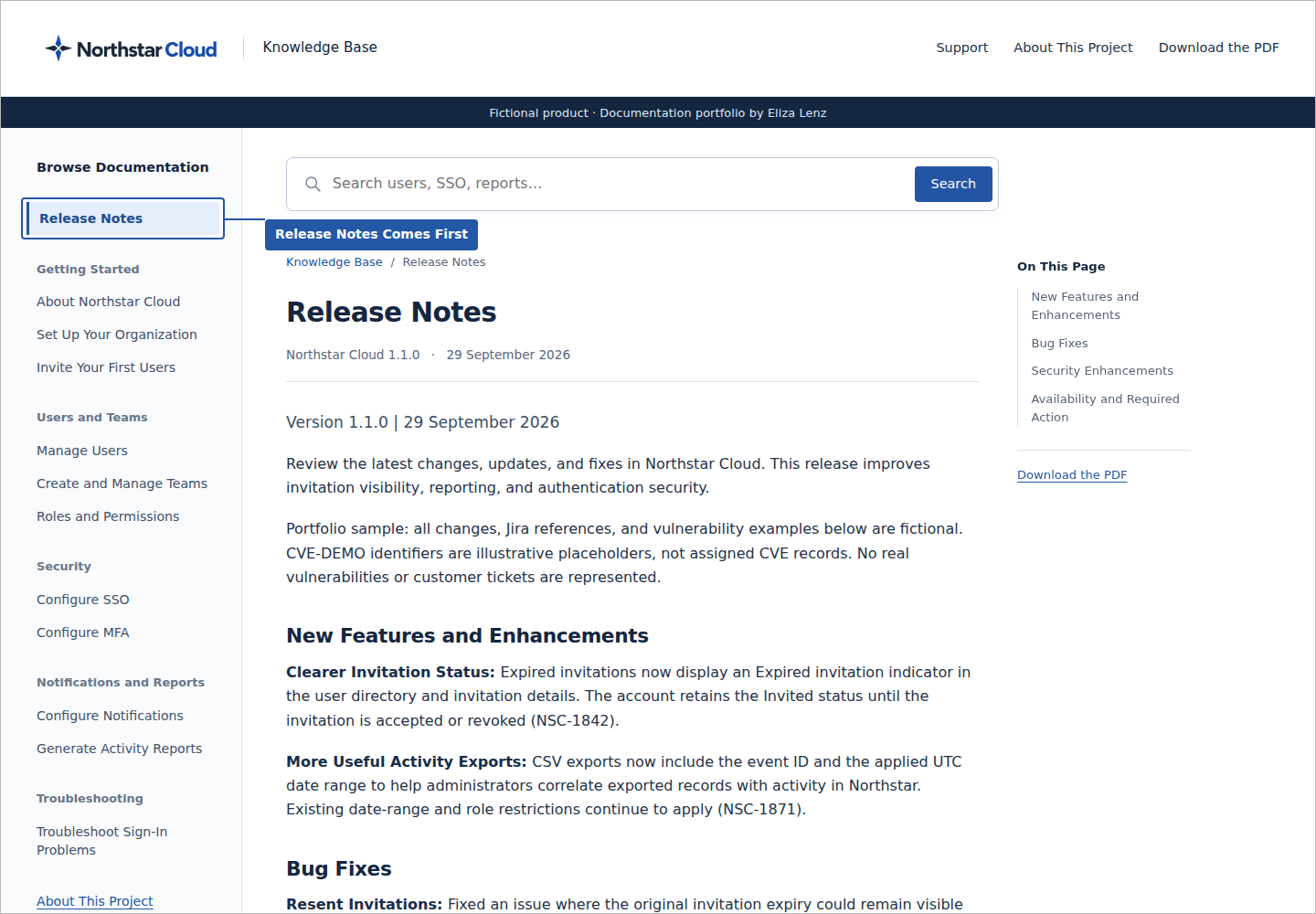
Request: Put Release Notes first in the page tree and order this record by the effect each decision has on users.
Rationale: Frequently sought and consequential information should be easy to find. Prioritizing user impact helps readers reach the most useful information first.
Result: Release Notes leads the documentation navigation. This record begins with decisions that affect understanding, navigation, and task completion before visual consistency and delivery formats.
3. Visible and Usable Procedures
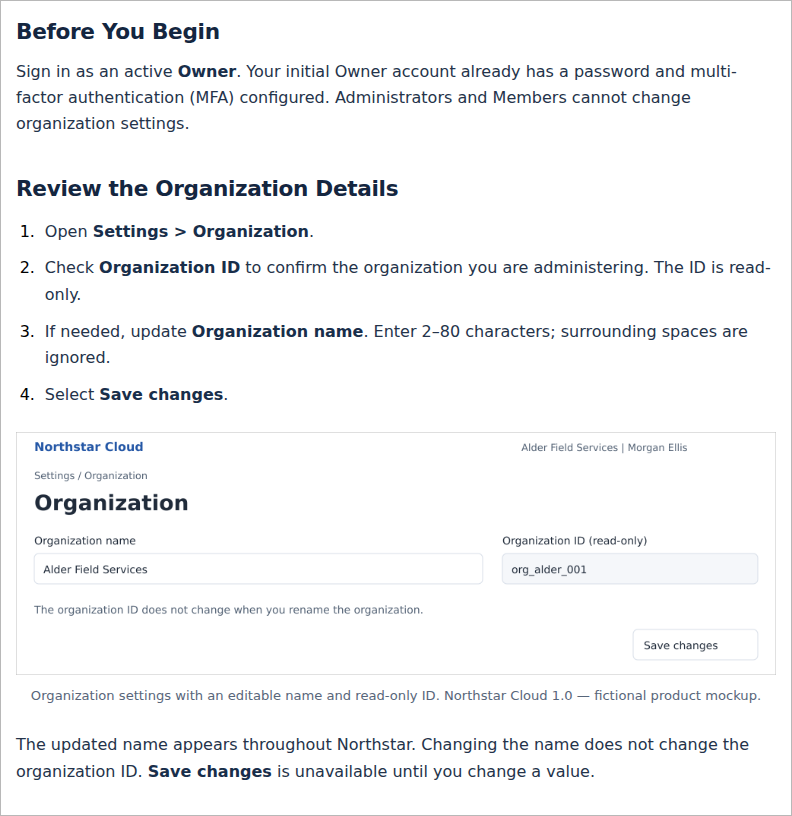
Request: Eliza provided examples of existing guides that she authored, which were then used as a reference for language styling, formatting, and layout.
Rationale: Readers need to follow a task in sequence and distinguish instructions from background information. A procedure should remain usable without relying on a screenshot.
Result: The generated guides follow the language styling, formatting, and layout established in Eliza’s authored examples. Procedures use visible numbering, identify where to begin, and separate actions from explanatory text. Role requirements appear before restricted tasks.
4. A Clear Route to Support
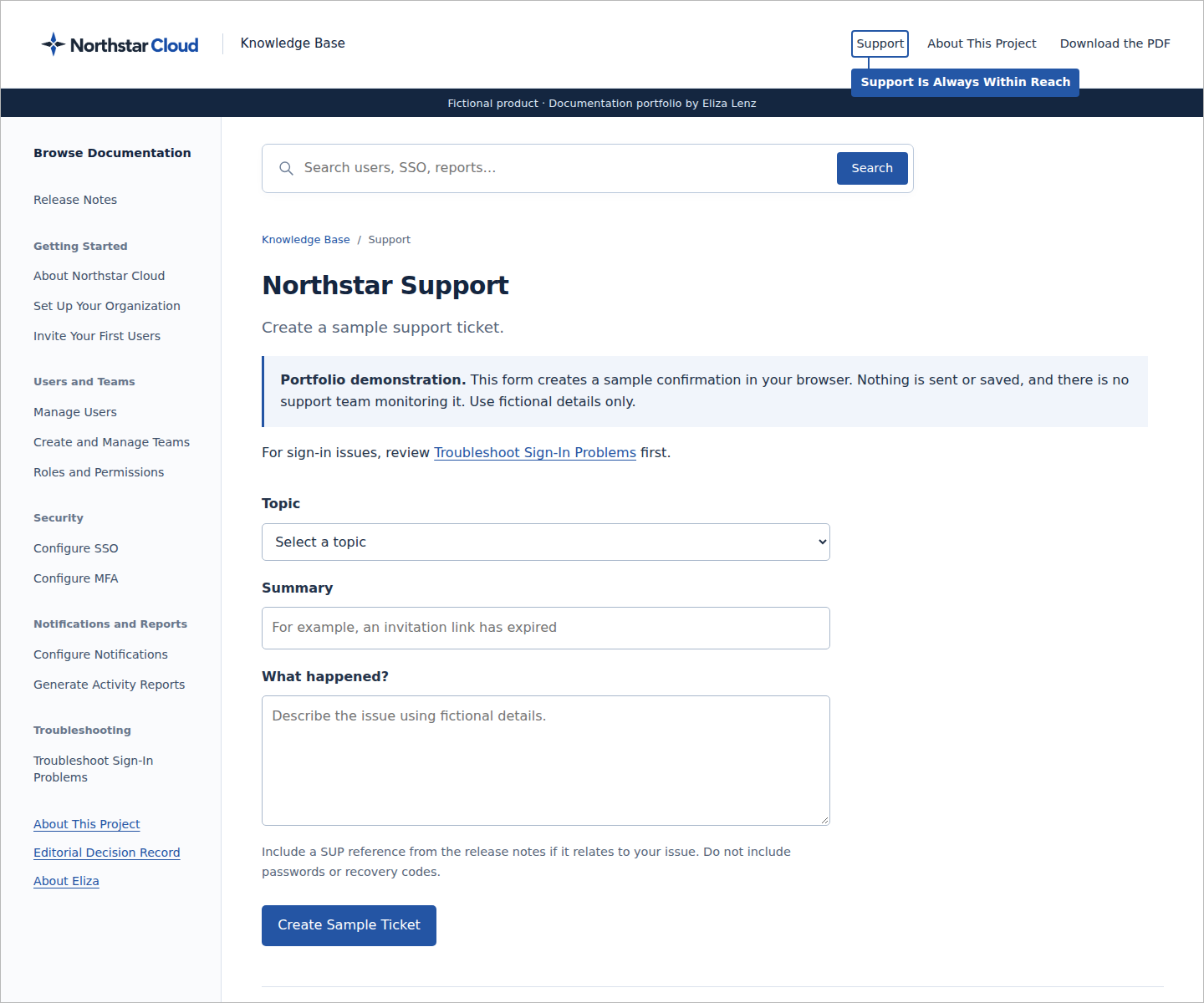
Request: Include a Support link where users can find help and create a ticket when documentation does not resolve their issue.
Rationale: Readers who remain blocked need a clear next step without searching through unrelated documentation.
Result: Support is available in the header alongside the project information and PDF download. The demonstration form creates a clearly labelled sample confirmation without sending or storing the request.
5. Scannable Important Notes
Request: Replace Understand the Scope with Important Notes and present the content in bullet form.
Rationale: A direct heading and separate bullets make constraints, role boundaries, and assumptions easier to scan.
Result: The About Northstar Cloud article groups the notes under Important Notes and presents each point as a distinct bullet.
6. Plain Typography and Readable Steps
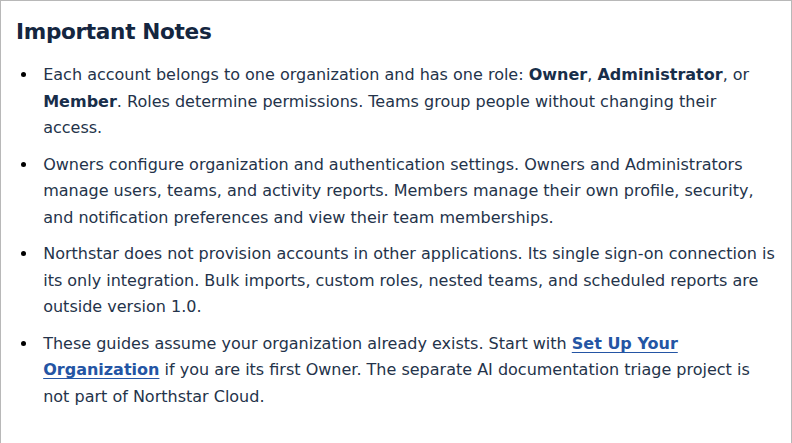
Request: Use a generic font and more generous line spacing, drawing on the supplied guides. Make procedure numbers regular-weight black.
Rationale: Familiar typography, clear spacing, and neutral numbering keep attention on the instructions. Numbers should indicate sequence without competing with the action text.
Result: The Word guides use Carlito at 11 pt with 1.3 line spacing. Web articles use a system sans-serif font. Step numbers are black and unbolded; actionable UI labels retain emphasis.
7. Visible Screenshot Boundaries
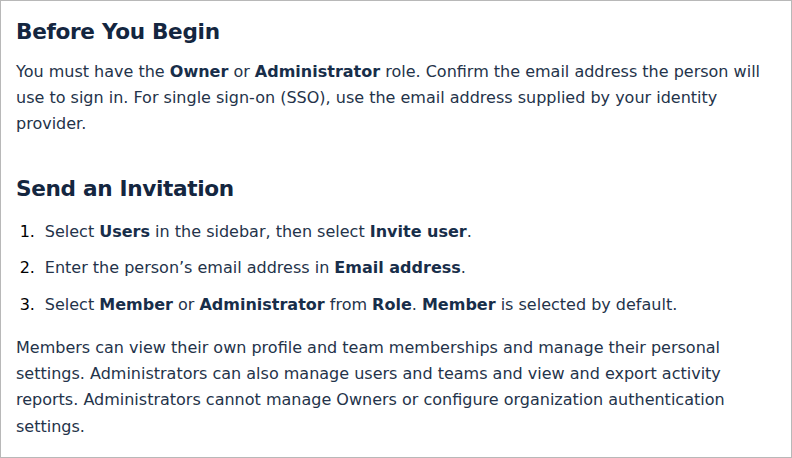
Request: Apply a grey 1 px border directly to screenshot images.
Rationale: Readers need to see where an image begins and ends, particularly when a white screenshot sits on a white webpage. Embedding the border also preserves it when the image is reused in Confluence.
Result: Screenshot PNGs contain their own grey border, so the boundary does not depend on a document or website style.
8. Balanced Headings and Useful Labels
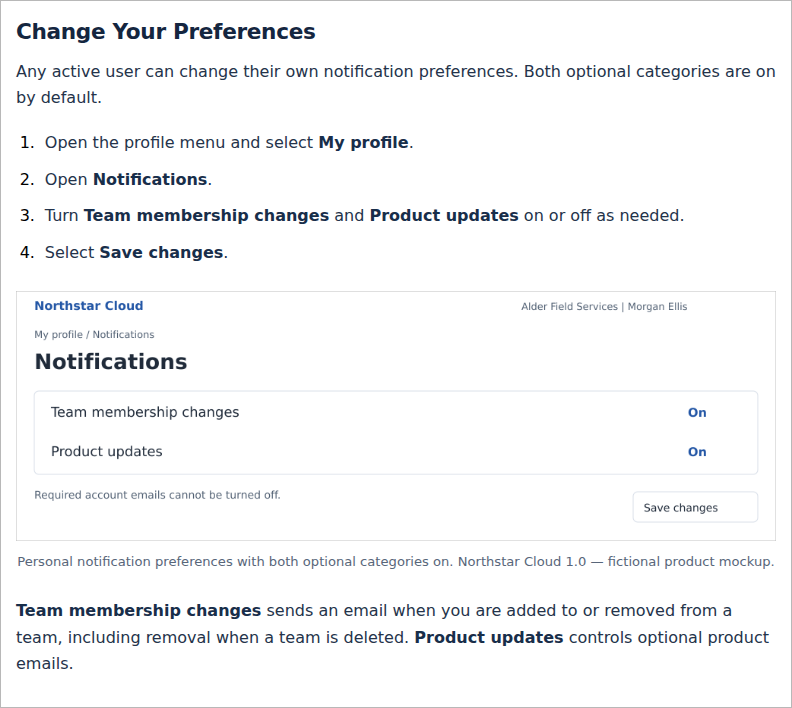
Request: Reduce the article-title size, enlarge the section label, and remove redundant or competing labels across the pages. Remove the redundant Release Notes section label and use purpose-specific labels throughout the site.
Rationale: Headings should make the relationship between the section and article clear. Repeated labels add clutter without helping readers locate or understand information.
Result: Section labels and article titles have a more balanced size relationship. Redundant top labels are removed; contextual information appears in the appropriate page content.
9. Consistent Title Case
Request: Apply title case to all article titles, headings, and subheadings throughout the knowledge base and downloadable guides, including navigation and cross-references.
Rationale: Consistent capitalization helps readers recognize the same destination in navigation, cross-references, and downloads.
Result: The complete guide set and site headings use title case. This includes the headings within About Northstar Cloud, not just its article title. Exact interface labels retain their interface capitalization.
10. Formats Suited to Reading and Reuse
Request: Provide the documentation in several usable formats, with PDF as the article-download format.
Rationale: Readers need a stable, portable version for offline use. Editable source files support maintenance and reuse.
Result: Every article offers a PDF download. The complete documentation is available as a consolidated PDF, and the package retains editable Word sources and reusable image assets.
11. Screenshots That Show the Published Design
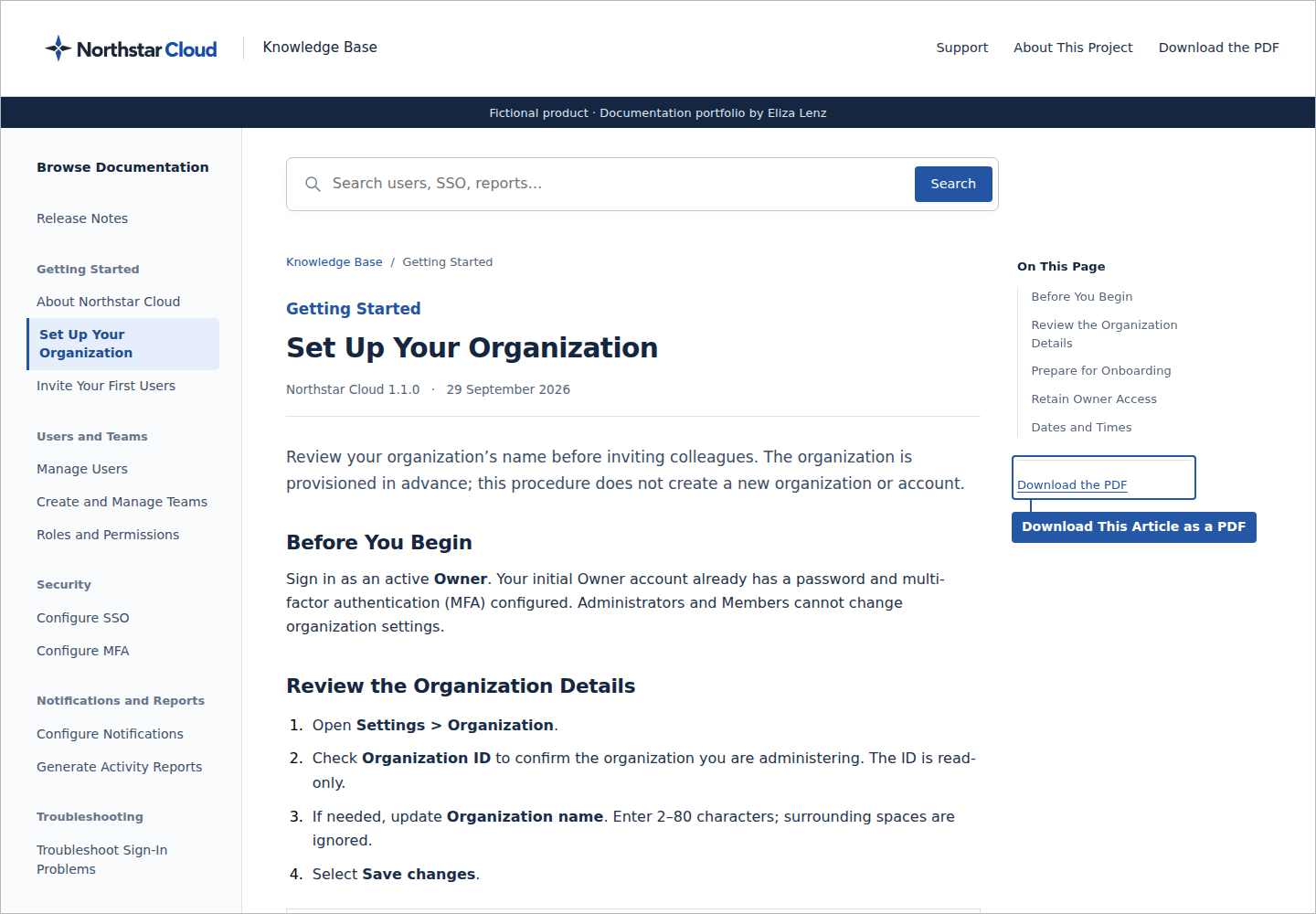
Request: Replace PDF excerpts with knowledge base views. Highlight Release Notes first, the Support header link on the Support page, and an article’s PDF download. Remove the supplied review markup and the unnecessary title-case screenshot.
Rationale: Visual evidence should match the typography and layout readers actually encounter. A focused callout makes the decision visible without requiring readers to search the image.
Result: Screenshots use the site’s HTML and styles. Compact blue callouts use the Northstar palette, with flat outlines and no shadows. The heading-balance and title-case entries rely on their written explanations.
12. Clear Editorial Ownership and Professional Context
Request: Identify Eliza Lenz as the person who made these decisions at the top of the record. Add an About Eliza page with her photo, experience, résumé, and approach to technical writing, knowledge management, and AI; link it below this record and from About This Project.
Rationale: Readers should be able to distinguish the writer’s experience and judgment from the generated drafts and implementation, and understand how that work would apply to a real product.
Result: This record attributes the editorial decisions to Eliza. About Eliza connects her documentation experience to her direction of this project, with résumé and LinkedIn links. The project pages distinguish AI assistance from her editorial work and describe the technical validation required for a real application.